 The Marketer
If you’ve ever logged into Google Ads, you know how quickly the numbers can start to look intimidating. With brands spending thousands—even millions—per month, it’s easy to assume that a limited budget simply can’t compete. But here’s the truth: you don’t need deep pockets to run effective Google Ads campaigns. You just need strategy, discipline, and a willingness to learn from the data.
I’ve worked with businesses ranging from scrappy startups to established enterprises, and I can confidently say that small-budget advertisers often get better results than those who throw money around without focus. Why? Because limitations force you to be intentional with every dollar. And intentional advertising is effective advertising.
In this article, we’ll break down exactly how to run Google Ads on a small budget. Whether you’re working with $10 a day or $1,000 a month, the principles remain the same: maximise relevance, minimise waste, and never stop optimising.
Step 1: Set Clear and Realistic Goals
The first mistake small-budget advertisers make is skipping the goal-setting stage. Running ads “just to get more sales” is too vague. Instead, you need to define specific and measurable goals that align with your business stage.
Some examples:
- Local café: Drive 50 new customers through the door this month.
- E-commerce shop: Generate 20 online sales with a cost per acquisition (CPA) under $15.
- Consultant: Capture 30 qualified leads via a landing page form.
Your budget dictates your goals, but your goals also dictate how you spend your budget. If you’re focused on leads, you’ll optimise differently than if you’re focused purely on traffic. Think of this as building your campaign blueprint—it saves money by ensuring every click has a purpose.
Step 2: Choose the Right Campaign Type
Google Ads offers multiple campaign types, but not all are budget-friendly. When funds are limited, you need the formats that give you the highest control and most measurable return.
Here are the best campaign types for small budgets:
- Search Ads (Text-based): The bread and butter for budget-conscious advertisers. They appear when someone is actively searching for what you offer, making them highly intent-driven.
- Local Services Ads: Perfect for service businesses—think plumbers, lawyers, or cleaning services. You only pay for qualified leads.
- Remarketing Campaigns: Show ads to people who already visited your site. These audiences are warmer and convert at higher rates.
- Performance Max (Carefully Used): If you’re short on time but want reach, this AI-driven campaign can be useful—but only after you’ve nailed your targeting and messaging elsewhere.
Skip Display campaigns (banner ads) and YouTube ads at the beginning. They tend to burn budgets quickly without guaranteed intent.
Step 3: Nail Your Keyword Strategy
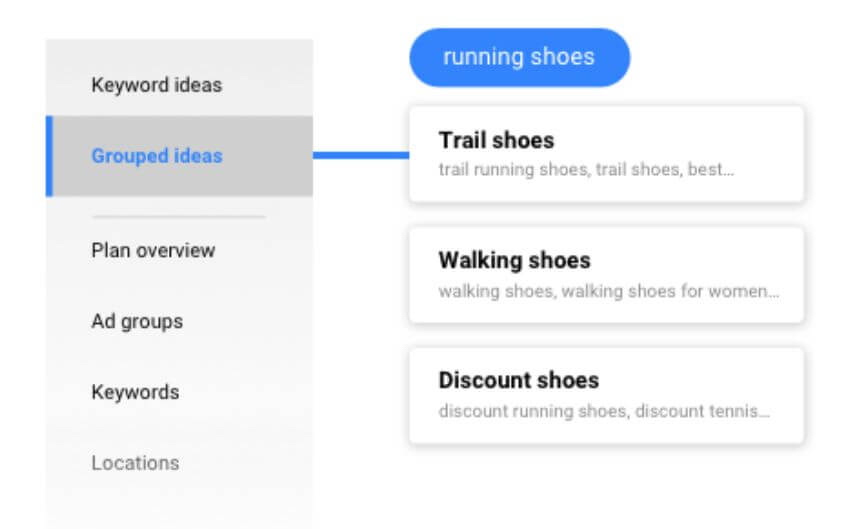
This is where small advertisers can easily win—or waste money. Keywords are the engine of your search campaigns, and not all keywords are created equal.
A big-budget advertiser can afford to bid on broad, high-volume terms like “shoes” or “insurance.” You can’t. But you can outsmart them by targeting long-tail keywords—more specific phrases that reveal stronger intent.
For example:
- Instead of “dentist,” target “emergency dentist near me open Saturday.”
- Instead of “marketing agency,” target “affordable social media marketing for restaurants.”
Yes, these searches have lower volume. But they’re also cheaper, less competitive, and far more likely to convert. And with a small budget, conversions matter more than impressions.
Pro tip: Use Google’s Keyword Planner or tools like Ubersuggest to find long-tail gems with low competition. Add negative keywords aggressively to avoid paying for irrelevant clicks (e.g., “free,” “DIY,” or “jobs”).
Step 4: Structure Your Campaigns for Efficiency
When you’re running ads with limited funds, structure matters. A messy campaign is like a leaky faucet—you’re losing money without realising it.
Here’s how to keep things tidy:
- Separate campaigns by goal. Don’t lump lead generation and sales into one campaign.
- Keep ad groups tightly themed. Group related keywords together so your ads are highly relevant. For example, an ad group for “wedding photography” should not include “event videography.”
- Limit active campaigns. It’s better to run one well-optimised campaign than three half-funded ones.
This kind of focus ensures your ads are always relevant to the searcher—leading to higher Quality Scores and lower cost per click (CPC).
Step 5: Write Ads That Work Harder
Here’s the beauty of Google Ads: writing better ad copy doesn’t cost a cent more, but it can drastically improve performance. With a small budget, you need every impression to pull its weight.
Some ad copy tips:
- Mirror the keyword. If someone searches “affordable family lawyer,” your headline should say “Affordable Family Lawyer in [City].”
- Highlight your unique value. Do you offer same-day service? Free consultations? Flexible payment plans? Lead with that.
- Use all available extensions. Sitelinks, call extensions, location extensions—they make your ad bigger and more clickable.
A simple tweak like including numbers (“Save 30% Today”) or urgency (“Book Before Friday”) can boost click-through rates without spending more.
Step 6: Budget Smartly
Now we get into the heart of it: how to stretch a small budget.
Here are some golden rules:
- Start small, then scale. Begin with $10–$20 per day and increase once you see consistent results. Focus on one geographic area. Don’t waste money targeting the entire country if you only serve one city.
- Bid smart. Start with Manual CPC to retain control, then test automated strategies like Target CPA once you have conversion data.
- Use ad scheduling. If your customers only convert during business hours, don’t waste money running ads at 2 AM.
- Prioritise high-intent campaigns. Put the bulk of your budget into search campaigns, and only experiment with display or video once you’re profitable.
Think of your budget like watering a plant: it’s better to deeply water one plant than sprinkle drops across ten.
Step 7: Track Everything
Nothing drains a budget faster than flying blind. If you don’t track conversions, you can’t know which clicks actually make you money.
Set up conversion tracking in Google Ads and connect it with Google Analytics. Define what counts as a conversion: purchases, form submissions, calls, or even time spent on site.
Once you know which keywords, ads, and audiences are driving results, you can confidently cut waste and double down on winners.
Step 8: Optimise Relentlessly
Here’s a marketer’s secret: the first version of your campaign will almost never be the best version. The advertisers who succeed are the ones who test, tweak, and optimize constantly.
Some simple optimisations include:
- Pause underperforming keywords that eat budget without conversions.
- Test new ad copy every few weeks.
- Refine your negative keyword list to cut irrelevant clicks.
- Adjust bids—raise them for top-performing terms, lower them for weak ones.
Even with a small budget, optimisation is the lever that multiplies your ROI over time.
Step 9: Use Free Tools to Your Advantage
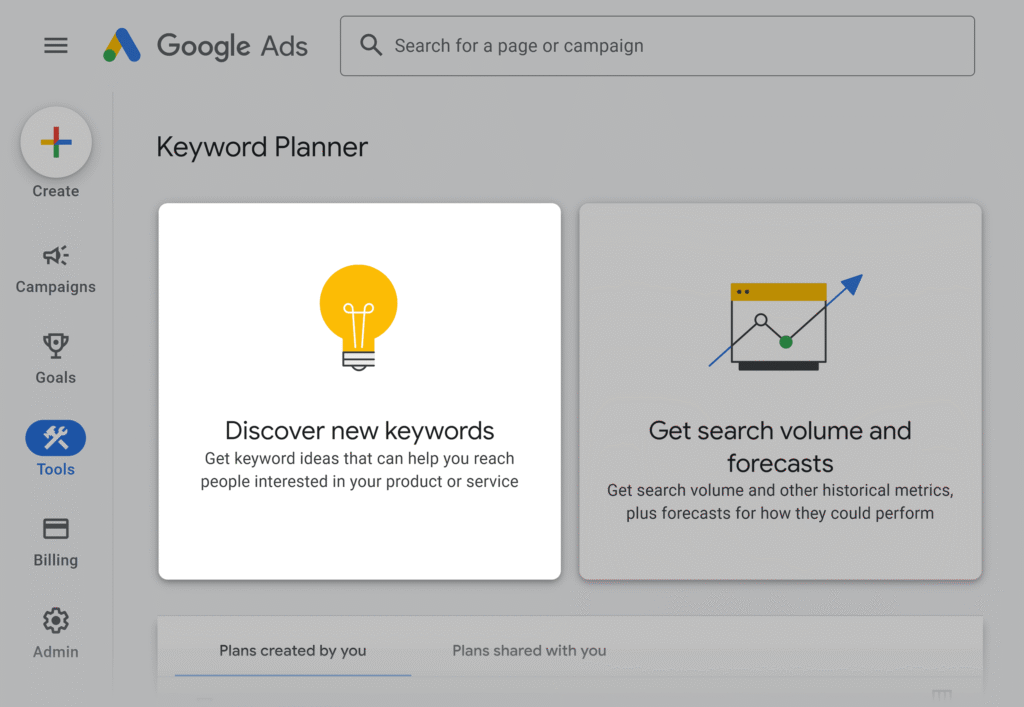
Your budget may be small, but the good news is that Google Ads offers a ton of free resources. Don’t overlook them.
- Google Keyword Planner: For keyword research.
- Google Analytics: For traffic and conversion insights.
- Google Trends: To spot seasonal opportunities.
- Smart Bidding Recommendations: Google’s suggestions aren’t always perfect, but they can highlight areas to test.
By layering these free tools with your campaigns, you can make data-driven decisions without spending an extra cent.
Step 10: Think Beyond Ads
Finally, remember this: Google Ads is not a silver bullet. Ads can get people to your site, but your website must do the heavy lifting.
If your landing page is slow, confusing, or unconvincing, no ad budget—big or small—will deliver results. Optimise your website for conversions:
- Clear headlines and value propositions.
- Fast load speeds (especially on mobile).
- Easy-to-complete forms or checkout processes.
- Trust signals like reviews, testimonials, and guarantees.
Your ads and website work together as one system. A well-optimised site can make a small ad budget perform like a large one.
Final Thoughts: Small Budgets, Big Impact
Running Google Ads on a small budget isn’t about competing dollar-for-dollar with big brands. It’s about being sharper, more focused, and more disciplined. With clear goals, smart keyword targeting, efficient structure, and relentless optimisation, even $10 a day can drive meaningful business results.
Think of your budget as a magnifying glass. Used properly, it concentrates your efforts into a powerful, focused beam. Wasted, it just scatters.
So, start small, stay smart, and remember: the goal isn’t to outspend your competitors. It’s to outthink them.
